A living map of
your folders
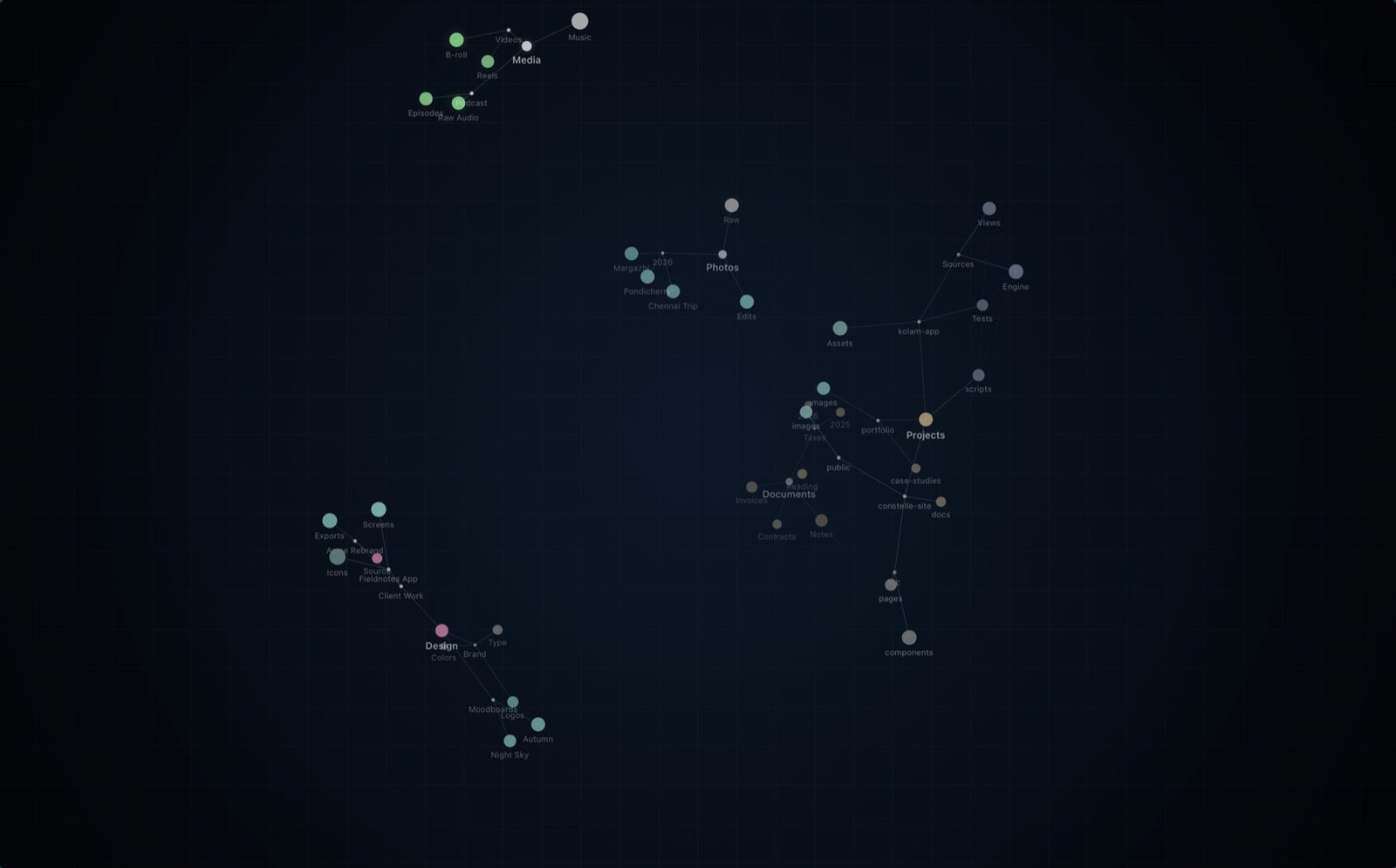
Constelle turns the folders you work in into a slowly turning 3D constellation on your Mac's wallpaper. It pulses as you work, and finds anything you ask for.
Why Constelle
See your work, not just your files
Finder shows you lists. Constelle shows you the shape of your work: where it lives, what's growing and what you touched today.
A constellation behind your windows
Every folder is a star, linked to its subfolders and to folders holding similar files. Color shows what's inside; brightness shows size.
Pulses as you work
Save or open a file and its folder flashes and ripples, with a light running up to the root. See at a glance where today happened.
Find anything with ⌥Space
Type, or hold the shortcut and just say it: "PDFs from last week". The constellation lights up where the results live.
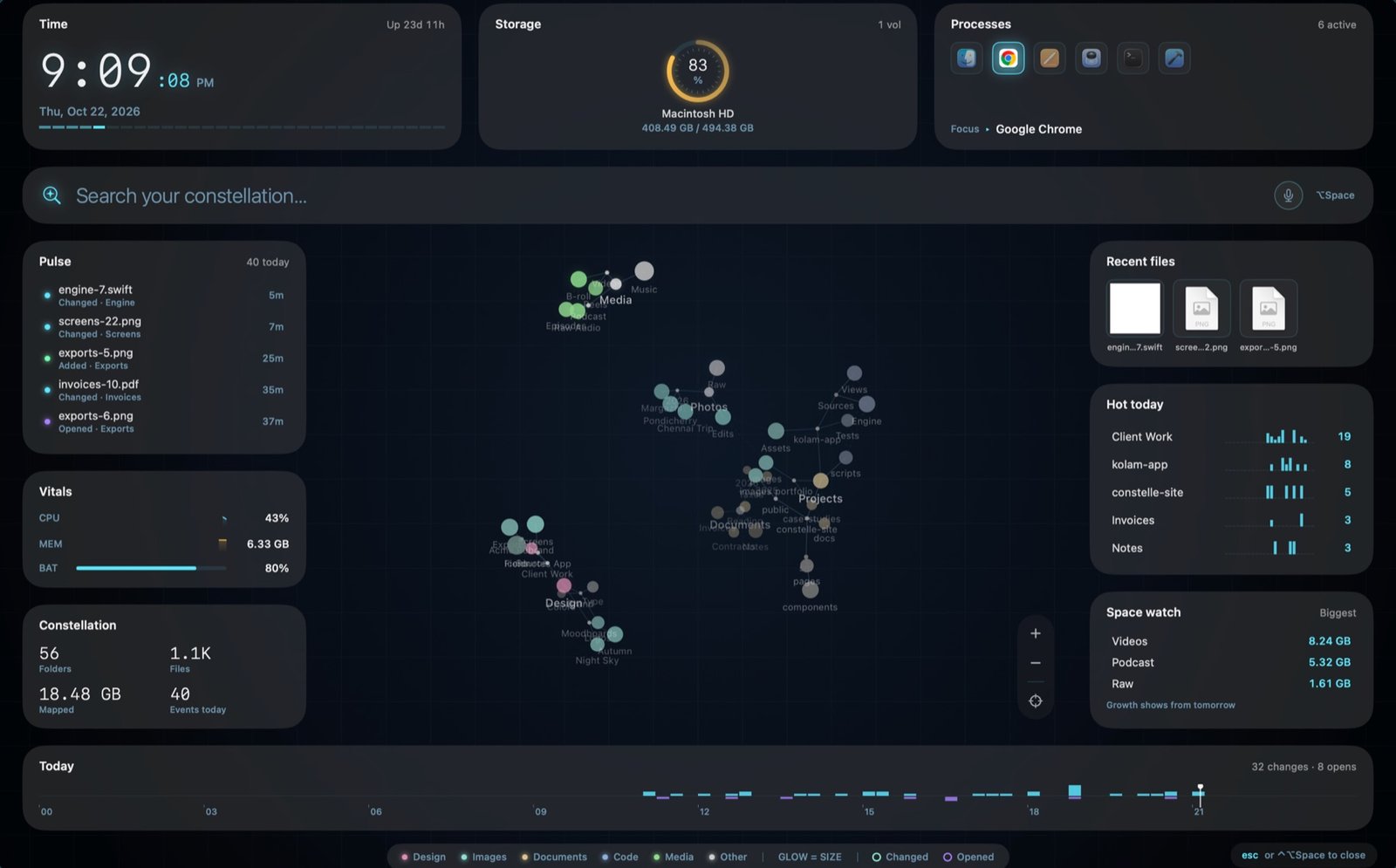
A dashboard for your Mac
Time, storage, running apps, recent files and today's busiest folders. On a second screen, or over any screen with ⌃⌥Space.
Learns how you think
Remembers what you open, follows up ("only the big ones") and matches by meaning: "tax papers" finds Tax-Documents.
Show it off
Export a 4K image or a seamless looping video of your constellation, with folder names hidden if you like.
Take a look
Made for the way Macs look now
Private by design
Your folders never leave your Mac
The Constelle Mac app keeps your folders on-device. It reads only what you allow, and it changes nothing.
Up and running in a minute
Three steps to your constellation
Pick your folders
The welcome guide suggests Desktop, Documents, Downloads and your projects. Click Allow for each one you want.
Watch it appear
Constelle maps them in seconds and draws your constellation on the wallpaper of every screen and Space.
Just work
It pulses as files change. Press ⌥Space whenever you need something, or ⌃⌥Space for the dashboard.
Early access
Give your folders a sky
Join the Constelle beta. We’ll email you soon with instructions to download the beta application.
Free beta · macOS 14 Sonoma or later
You’re on the list
Welcome to the constellation.
Your download invitation will arrive in a separate email soon. Check spam if you don’t see our confirmation.